Everything You Need to Play GTA 6: The Complete Beginner’s Setup Guide
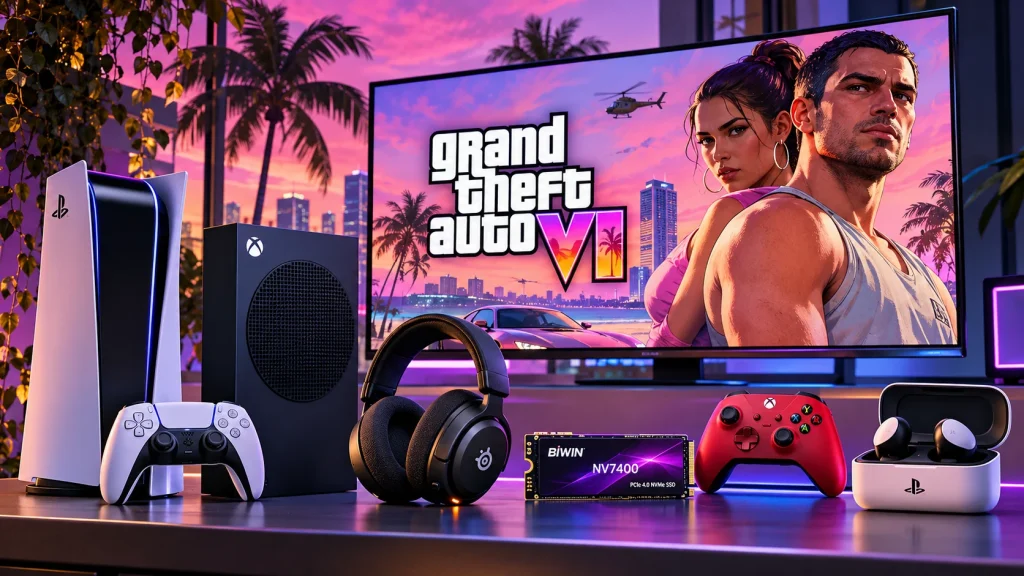
Grand Theft Auto VI is one of the biggest gaming releases of 2026.
But not everyone following the excitement already owns a current-generation console.
Maybe you’ve been playing on an older PlayStation for years. Perhaps you’re buying your first Xbox. Or you simply want to know whether your existing television is good enough.
The good news is that getting started is straightforward.
You don’t need an expensive gaming monitor, a premium controller, or an elaborate entertainment room.
Here’s what you actually need to play GTA 6—and which upgrades are worth considering later.
1. Choose a Compatible Console
GTA 6 launched on November 19, 2026, for PlayStation 5 and Xbox Series X|S.
Those are the platforms confirmed for the console release.
Older PS4 and Xbox One consoles are not supported.
If you don’t already own suitable hardware, buying a compatible console is your first step.
PlayStation 5 Options
For PlayStation buyers, these are worth comparing:
The renewed consoles may provide savings, but check condition, accessories, and warranty coverage.
The God of War bundle includes a different game, not GTA 6.
Xbox Options
For Xbox buyers:
Both Series S models can run GTA 6, but they are digital-only consoles.
If you want to buy a physical Xbox game disc, consider a compatible Xbox Series X model with a disc drive instead.
2. Buy GTA 6 for the Correct Platform
This sounds obvious, but it’s important.
A PlayStation version of the game won’t work as an Xbox disc or download, and vice versa.
Choose the correct platform and edition when purchasing.
You can find official edition information through the Rockstar Games GTA 6 website.
Also check whether a game listing contains a disc, a download code, or another digital entitlement.
If you own a digital-only console, you need a compatible digital version.
3. Connect Your Console to a TV or Monitor
You don’t need a brand-new television to play GTA 6.
If your existing display supports a compatible HDMI input and video mode, it may already be suitable.
However, buyers who want to upgrade their screens can consider several options.
Large-Screen Gaming
The TCL 75-inch QM7L Mini LED TV offers a large 4K display and gaming-oriented features.
Balanced Living-Room Setup
The TCL 55-inch QM6K provides a smaller 4K Mini LED alternative.
Compact PlayStation Setup
The Sony BRAVIA 3 II 43-inch may appeal to PS5 owners who prefer a smaller display.
Remember: a 120Hz or 144Hz screen doesn’t guarantee a game runs at that frame rate.
4. Use the Controller Included With Your Console
You don’t need to purchase a premium controller immediately.
A standard PS5 or Xbox console package generally comes with one.
If you want a spare or replacement, these are options.
PlayStation Controllers
The DualSense Gray Camouflage offers the standard DualSense feature set.
The DualSense Edge Midnight Black adds customizable controls and premium features.
Xbox Controller
The Xbox Wireless Controller Pulse Red is an additional controller option for Xbox players.
Premium controls may improve comfort and customization, but they aren’t required to enjoy GTA 6.
5. Consider a Headset for More Immersive Audio
A headset is optional.
You can play using your television’s speakers.
However, headphones can make it easier to hear dialogue and environmental details without disturbing other people.
For PlayStation, consider the PULSE Explore Wireless Earbuds.
For Xbox, the Xbox Wireless Headset offers direct console connectivity.
If you use several systems, the SteelSeries Arctis Nova 3X Wireless is worth comparing because of its multi-platform support.
Before purchasing, always confirm compatibility with your specific console.
6. Make Sure You Have Enough Storage
Modern games can use substantial storage space.
If your console already has a large library installed, you may need to free up space.
PlayStation users can consider a compatible M.2 SSD expansion.
For example, the BIWIN Black Opal NV7400 2TB advertises a fast PCIe 4.0 interface.
However, PS5-compatible cooling and physical dimensions are essential.
Check Sony’s official installation requirements before buying.
Xbox storage expansion works differently. Don’t assume the same PC-style internal M.2 SSD can simply be installed in an Xbox Series S or Series X.
Use storage products specifically supported by your Xbox console.
7. Check Your Internet Connection
You’ll need internet access for digital purchases, downloads, system updates, and online features.
A stable connection is useful, especially when downloading large games.
If your Wi-Fi is unreliable, connecting your console by Ethernet may improve stability.
You don’t necessarily need gigabit internet to enjoy GTA 6, but faster connections can reduce download times.
Check Rockstar’s current requirements for any online modes or account services.
8. Do You Need a Gaming PC?
Not for the current console release.
GTA 6 launched on PS5 and Xbox Series X|S.
A PC version was not part of that confirmed launch.
Avoid buying an expensive graphics card or gaming PC specifically for GTA 6 based on unconfirmed requirements.
Wait for official PC platform and hardware information.
Your GTA 6 Starter Checklist
| Item | Required? | |
|---|---|---|
| Compatible PS5 or Xbox Series X | S | Yes |
| GTA 6 for your platform | Yes | |
| Controller | Yes, usually included with console | |
| Compatible TV or monitor | Yes | |
| HDMI connection | Yes | |
| Power supply | Yes | |
| Internet for downloads and updates | As applicable | |
| Premium headset | Optional | |
| Extra controller | Optional | |
| SSD storage upgrade | Optional | |
| 120Hz or 144Hz television | Optional | |
| Gaming chair or home theater seating | Optional |
Frequently Asked Questions
Can I play GTA 6 on PS4?
No. The confirmed console release is for PS5 and Xbox Series X|S.
Can I play GTA 6 on Xbox Series S?
Yes. Xbox Series S is a supported platform.
Do I need a PS5 Pro?
No. A standard PS5 is a supported platform.
Can I play GTA 6 on a 1080p TV?
Yes, provided the display is compatible with your console’s video output.
Is a gaming headset required?
No. You can use your television or monitor’s audio setup.
Can I play GTA 6 on a laptop?
There was no PC version included in the November 19, 2026 console launch.
Do I need extra storage?
Only if your console lacks sufficient available space for the game and other required data.
Is GTA 6 free with Xbox Game Pass?
Don’t assume so. Check the current Xbox store or official subscription catalog for availability.
Does GTA 6 require a 120Hz monitor?
No. The screen’s supported refresh rate and the game’s actual frame rate are separate things.
What’s the cheapest way to get started?
If you already own a supported console and compatible television, buying the correct game may be all you need.
Final Thoughts
It’s easy to get carried away with gaming accessories, especially around a major release like GTA 6.
But getting started doesn’t have to be expensive.
Buy the right console, make sure your screen works, and get the correct version of the game.
Everything else can come later.
A premium controller, better headphones, or a larger television may make your setup more enjoyable, but none of them should distract you from the basics.
Spend where it makes a difference, and enjoy the game.
For more GTA 6 technology guides, console comparisons, and gaming recommendations, visit DOJO News Network.
Affiliate Disclosure: As an Amazon Associate I earn from qualifying purchases. Some links in this article may generate a commission at no additional cost to you.
Editor’s Note: Product recommendations are based on supplied retailer information and official platform announcements. DOJO News Network has not independently tested the products. Check the latest game requirements, product specifications, and prices before purchasing.