
Best iPads 2026–2027: 8 Picks for Students, Work and Everyday Use
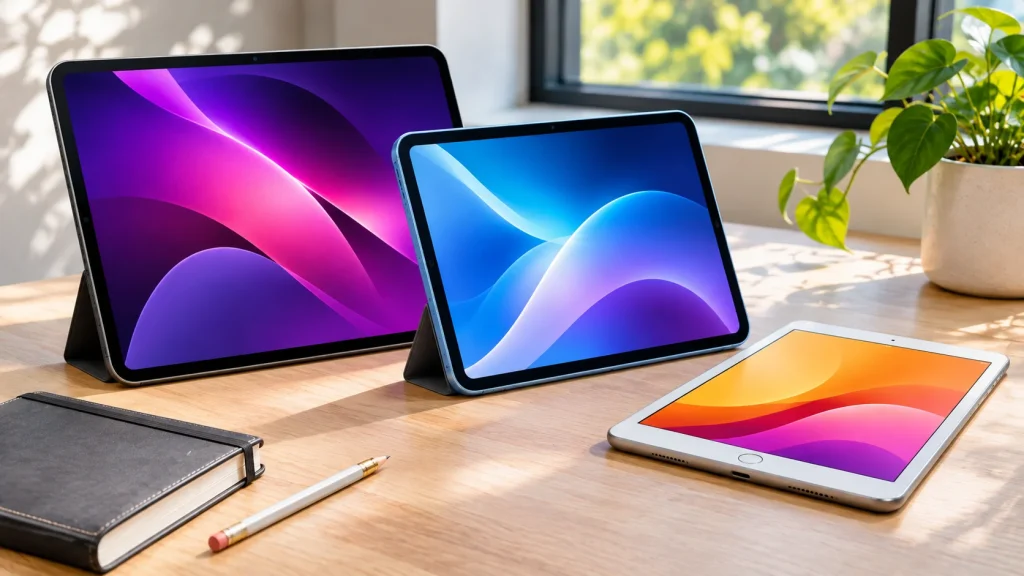
Buying an iPad sounds simple until you start comparing models.
There’s the regular iPad, the iPad Air, the iPad Pro, and older refurbished versions that can cost considerably less than buying new.
Some are perfect for watching movies, reading, and browsing the internet. Others are powerful enough for demanding creative applications, digital illustration, video editing, and professional work.
And with Christmas 2026 approaching, iPads are likely to be on plenty of gift wish lists.
The good news is that you don’t necessarily need the most expensive model to get a great experience.
We’ve rounded up eight iPad options worth comparing for 2026–2027, including the newer M4 iPad Air, the premium M5 iPad Pro, the more accessible A16 iPad, and two renewed models for budget-conscious shoppers.
Here’s how they compare and which one may suit your needs.
Best iPads 2026–2027: Quick Comparison
| iPad Model | Display | Storage | Best For |
|---|---|---|---|
| iPad Pro 2021 M1 Renewed | 12.9-inch | 128GB | Large Premium Display for Less |
| iPad Air M4 Starlight | 11-inch | 128GB | Everyday Performance |
| iPad Pro M5 512GB | 13-inch | 512GB | Creative Professionals |
| iPad Air M4 Blue | 11-inch | 128GB | Students and Portability |
| iPad Air M4 Space Gray | 13-inch | 128GB | Larger-Screen Productivity |
| iPad Pro M5 256GB | 13-inch | 256GB | Premium Features |
| iPad A16 Blue | 11-inch | 128GB | Families and Everyday Use |
| iPad 2021 10.2-inch Renewed | 10.2-inch | 64GB | Budget-Conscious Buyers |
Prices and availability can change, particularly during holiday shopping periods. Check current listings before purchasing.
1. Apple iPad Pro 12.9-inch (2021, M1, Renewed) — Best Older Premium iPad
The 2021 iPad Pro may be several generations old, but it still has some features worth considering.
Its biggest attraction is the 12.9-inch Liquid Retina XDR display, which offers excellent contrast and a large viewing area.
The Apple M1 chip also remains capable of handling everyday productivity, digital illustration, and compatible creative applications.
Key Features
- Apple M1 chip
- 12.9-inch Liquid Retina XDR display
- 128GB storage
- ProMotion display technology
- Face ID
- 12MP wide and 10MP ultra-wide rear cameras
- LiDAR scanner
- Wi-Fi connectivity
- Renewed condition
Why Consider It?
This could be an interesting option for someone who wants a large-screen iPad Pro without paying for the newest generation.
It’s particularly appealing for watching movies, editing photographs, drawing, or working with several applications.
However, because this is a renewed device, its condition is especially important.
Check the seller’s battery standards, warranty, return policy, and included accessories.
A refurbished iPad can offer value, but its battery may not perform like a new device’s.
Best for: Buyers who want an older premium iPad and are comfortable purchasing renewed electronics.
2. Apple iPad Air 11-inch M4, Starlight — Best Overall Everyday iPad
For most buyers, the iPad Air offers an appealing balance between performance and portability.
The M4 model delivers strong processing capabilities without requiring a move to the more expensive Pro lineup.
Its 11-inch Liquid Retina display makes it suitable for browsing, studying, writing, entertainment, and creative work.
Key Features
- Apple M4 chip
- 11-inch Liquid Retina display
- 128GB storage
- Apple Intelligence support
- Wi-Fi 7 with Apple’s N1 networking chip
- Touch ID
- 12MP front and rear cameras
- Apple Pencil Pro compatibility
- Starlight finish
Why Consider It?
The M4 iPad Air is powerful enough for a wide range of tasks.
Students can use it for notes and assignments. Professionals can manage documents and emails. Creative users can work with compatible drawing and editing applications.
The smaller size is also easy to carry between home, work, and school.
You don’t necessarily need an iPad Pro to get an excellent tablet.
Best for: Students, professionals, and everyday users who want strong performance in a portable design.
3. Apple iPad Pro 13-inch M5, 512GB — Best for Creative Professionals
If you’re purchasing an iPad primarily for demanding creative or professional work, the 13-inch iPad Pro deserves attention.
The M5 chip brings substantial processing capability, while the Ultra Retina XDR display is designed for high-end visual work.
The 512GB configuration also provides more room for applications, projects, photographs, and video files.
Key Features
- Apple M5 chip
- 13-inch Ultra Retina XDR display
- 512GB storage
- ProMotion technology
- Apple Intelligence support
- Wi-Fi 7
- Face ID
- 12MP front and rear cameras
- LiDAR scanner
- Apple Pencil Pro support
- Space Black finish
Why Consider It?
This is the kind of tablet that makes sense for someone who actually needs professional-level performance.
Digital artists, designers, photographers, and video editors may appreciate the display quality and powerful hardware.
The additional storage can also be valuable when handling larger files.
For basic browsing and watching videos, though, it’s probably more iPad than most people need.
Best for: Creative professionals and demanding users who prioritize display quality, performance, and storage.
4. Apple iPad Air 11-inch M4, Blue — Best for Students
The blue iPad Air M4 offers the same core performance as the Starlight model above, with a different finish.
That makes it another excellent option for students and younger buyers who prefer a more colorful device.
Its combination of portability, processing power, and accessory support makes it practical for school and university.
Key Features
- Apple M4 chip
- 11-inch Liquid Retina display
- 128GB storage
- Wi-Fi 7
- Apple Intelligence support
- Touch ID
- 12MP cameras
- Apple Pencil Pro compatibility
- Blue finish
Why Consider It?
An iPad Air can function as a convenient digital notebook, research device, entertainment screen, and portable workstation.
With a compatible keyboard, it can also handle a significant amount of everyday typing.
The blue finish may appeal to someone shopping for a Christmas gift or back-to-school upgrade.
Just remember that the Starlight and Blue versions have the same performance when their configurations match.
Choose based on price, availability, and color preference.
Best for: Students who want a portable, powerful tablet for schoolwork and entertainment.
5. Apple iPad Air 13-inch M4, Space Gray — Best Larger-Screen iPad Air
Not everyone wants a smaller tablet.
If you’re regularly working with documents, spreadsheets, presentations, or creative applications, the additional screen space of a 13-inch iPad Air can make a difference.
The larger model keeps the M4 performance of the smaller Air but provides more room for viewing and multitasking.
Key Features
- Apple M4 chip
- 13-inch Liquid Retina display
- 128GB storage
- Apple Intelligence support
- Wi-Fi 7
- Touch ID
- 12MP front and rear cameras
- Apple Pencil Pro support
- Space Gray finish
Why Consider It?
A bigger display can be helpful when reviewing documents or working with multiple windows.
It’s also attractive for movies, reading, and digital illustration.
For someone who wants a large iPad but doesn’t necessarily need an Ultra Retina XDR display or M5 processor, the iPad Air 13-inch is a practical alternative to the Pro.
The trade-off is that it’s less compact than the 11-inch model.
Best for: People who value screen space for work, entertainment, and creativity.
6. Apple iPad Pro 13-inch M5, 256GB — Best Premium iPad With Less Storage
The 256GB iPad Pro M5 offers many of the same premium features as the 512GB model.
You still get the M5 processor, Ultra Retina XDR display, ProMotion, and professional accessory compatibility.
The main difference between these two supplied configurations is storage capacity.
Key Features
- Apple M5 chip
- 13-inch Ultra Retina XDR display
- 256GB storage
- Wi-Fi 7
- Face ID
- Apple Intelligence support
- LiDAR scanner
- 12MP front and rear cameras
- Apple Pencil Pro compatibility
- Space Black finish
Why Consider It?
Not everyone needs 512GB of local storage.
If you primarily use cloud storage, stream entertainment, or work with moderate-sized files, 256GB may be sufficient.
This model lets buyers enjoy the premium 13-inch iPad Pro experience without automatically paying for the larger storage option.
However, people working with extensive video projects or large creative libraries should think carefully about their long-term storage needs.
Best for: Buyers who want premium iPad Pro performance but don’t require 512GB of storage.
7. Apple iPad 11-inch A16, Blue — Best for Families and Everyday Entertainment
There’s a reason the regular iPad remains an attractive choice.
Most people don’t spend their days editing professional video, developing complicated designs, or using demanding creative software.
They want a tablet that can browse the internet, stream movies, make video calls, help with homework, and run everyday applications.
The A16 iPad is designed for those needs.
Key Features
- Apple A16 chip
- 11-inch Liquid Retina display
- 128GB storage
- Wi-Fi 6
- Touch ID
- 12MP front and rear cameras
- USB-C connectivity
- Compatible Apple Pencil options
- Blue finish
Why Consider It?
For families, this may be one of the most sensible starting points.
It’s capable of handling everyday activities without requiring the higher-end hardware found in the Air and Pro models.
Students can use it for schoolwork. Children can enjoy age-appropriate educational applications. Adults can use it for reading, streaming, browsing, and video calls.
One important limitation is that the A16 iPad doesn’t support Apple Intelligence.
If those AI features matter to you, consider the compatible M-series models instead.
Best for: Families, casual users, and buyers who want a straightforward iPad for daily activities.
8. Apple iPad 10.2-inch (2021, Renewed) — Best Budget Alternative
Not everyone needs the newest iPad, particularly when shopping for a secondary tablet.
The renewed 2021 10.2-inch iPad offers a more traditional design with a Home button and a smaller display.
It may still be useful for basic tasks, depending on the price and condition.
Key Features
- 10.2-inch Retina display
- Apple A13 Bionic chip
- 64GB storage
- Wi-Fi connectivity
- Touch ID with Home button
- First-generation Apple Pencil compatibility
- Space Gray finish
- Renewed condition
Why Consider It?
For someone who primarily wants to read, watch videos, browse websites, or use lighter applications, an older iPad can still be useful.
It may also be worth considering as a secondary household tablet.
However, buyers should understand the trade-offs.
The 64GB capacity is relatively limited, and newer iPads offer stronger processing performance, modern designs, and more current features.
The battery condition and remaining software support deserve particular attention.
Because this is a renewed product, check the return policy and warranty before buying.
Best for: Budget-conscious shoppers who only need basic tablet functionality.
Which iPad Should You Buy in 2026–2027?
With eight options, it’s easy to get distracted by processor names and technical specifications.
The better approach is to decide what you’ll actually do with your tablet.
For most people, the iPad Air M4 11-inch is an excellent place to start. It offers strong performance, a portable design, and modern features without requiring the highest-end Pro model.
For families and everyday entertainment, the iPad A16 may be the more sensible choice.
If you want a larger display for work, consider the 13-inch iPad Air M4.
For professional creative work, the 13-inch iPad Pro M5 provides the most advanced display and processing hardware among these selections.
And if your main priority is saving money, the renewed iPads are worth comparing, provided you’re comfortable with older hardware and the condition of the specific unit.
Is Buying a Renewed iPad Worth It?
Renewed iPads can be appealing because they provide access to older Apple hardware at potentially lower prices.
However, there are several things to check.
Battery health is important. An older battery may not hold as much charge as a new one.
You should also review the product condition, accessories, charging equipment, warranty, and return policy.
Remember that older iPads may have fewer years of major operating system support remaining.
A renewed iPad isn’t automatically a bad purchase, but the price difference needs to justify those compromises.
What to Look for When Buying an iPad
Storage Capacity
128GB is a practical starting point for many users.
If you download large games, store videos, or work with creative files, consider a larger storage option.
The 64GB renewed model may feel restrictive for some buyers.
Screen Size
An 11-inch iPad is easier to carry.
A 13-inch model offers more room for multitasking, drawing, and viewing documents.
Neither is universally better.
Apple Pencil Compatibility
Not every iPad supports the same Apple Pencil generation.
Check compatibility carefully before purchasing a stylus.
The newer M4 Air and M5 Pro support Apple Pencil Pro, while the older renewed models use different accessories.
Apple Intelligence
The M4 iPad Air and M5 iPad Pro support Apple Intelligence.
The M1 iPad Pro also meets Apple’s M1-or-later iPad Pro hardware requirement for supported Apple Intelligence features, subject to software, region, and language availability.
The A16 iPad and older A13 iPad don’t support Apple Intelligence.
New Versus Renewed
Buying new generally provides a more predictable battery condition and the standard manufacturer’s purchase experience.
Renewed products may cost less, but condition and seller policies vary.
Always compare the complete offer rather than relying on the product name alone.
Frequently Asked Questions About iPads
What is the best iPad for students?
The iPad Air M4 is a strong choice for students who need performance and portability. The A16 iPad is also worth considering for more basic schoolwork.
Is the iPad Pro worth the extra money?
It can be worthwhile for people who need the Ultra Retina XDR display, advanced hardware, or demanding professional applications. Many everyday users won’t need those extras.
Can an iPad replace a laptop?
For some people, yes. iPads can handle many everyday tasks, particularly with a keyboard. However, certain desktop programs and specialized workflows still work better on a traditional computer.
Is 128GB enough for an iPad?
For many users, yes. People storing large video libraries, games, or professional projects may need more.
Can you use an Apple Pencil with every iPad?
Many iPads support an Apple Pencil, but compatibility differs by generation and model.
Is a renewed iPad safe to buy?
A renewed iPad can be a reasonable purchase when the seller provides clear condition standards, a return policy, and appropriate warranty coverage.
Does the iPad A16 support Apple Intelligence?
No. Apple’s A16 iPad doesn’t support Apple Intelligence.
What’s the difference between iPad Air and iPad Pro?
The iPad Pro offers Apple’s premium tablet display and advanced hardware. The Air provides powerful performance in a generally more affordable category.
Are iPads good Christmas gifts?
They can be, particularly for students, readers, artists, and people who enjoy entertainment or creative applications. The right model depends on the recipient.
Should I wait until 2027 to buy an iPad?
That depends on your needs and current prices. If a model meets your requirements at a suitable price, there’s no guarantee waiting will result in a better deal.
Final Verdict
The best iPad isn’t necessarily the newest or most expensive one.
For some buyers, the iPad Air M4 provides almost everything they need. Others may prefer the simpler A16 iPad for everyday use.
Creative professionals might benefit from the additional capabilities of the iPad Pro M5, while budget-conscious shoppers may find value in a carefully selected renewed model.
With Christmas 2026 and the new year approaching, it’s worth comparing specifications, warranty coverage, and actual selling prices before making a decision.
Choose the iPad that matches how you’ll use it, not simply the one with the biggest numbers on its product page.
Explore more technology news, product comparisons, and practical buying guides at DOJO News Network.
Affiliate Disclosure: As an Amazon Associate I earn from qualifying purchases. Some links in this article may earn DOJO News Network a commission at no additional cost to you.
Editor’s Note: Product information is based on supplied retailer listings and Apple’s published model specifications. DOJO News Network has not independently tested these devices. Prices, configurations, availability, warranty terms, and renewed product condition may vary.
Further reading: Apple iPad Comparison | Apple iPad Air | Apple iPad Pro